
Rytr for Virtual Assistants: Complete Guide, Features, Use Cases & AI Writing Workflows (2026)
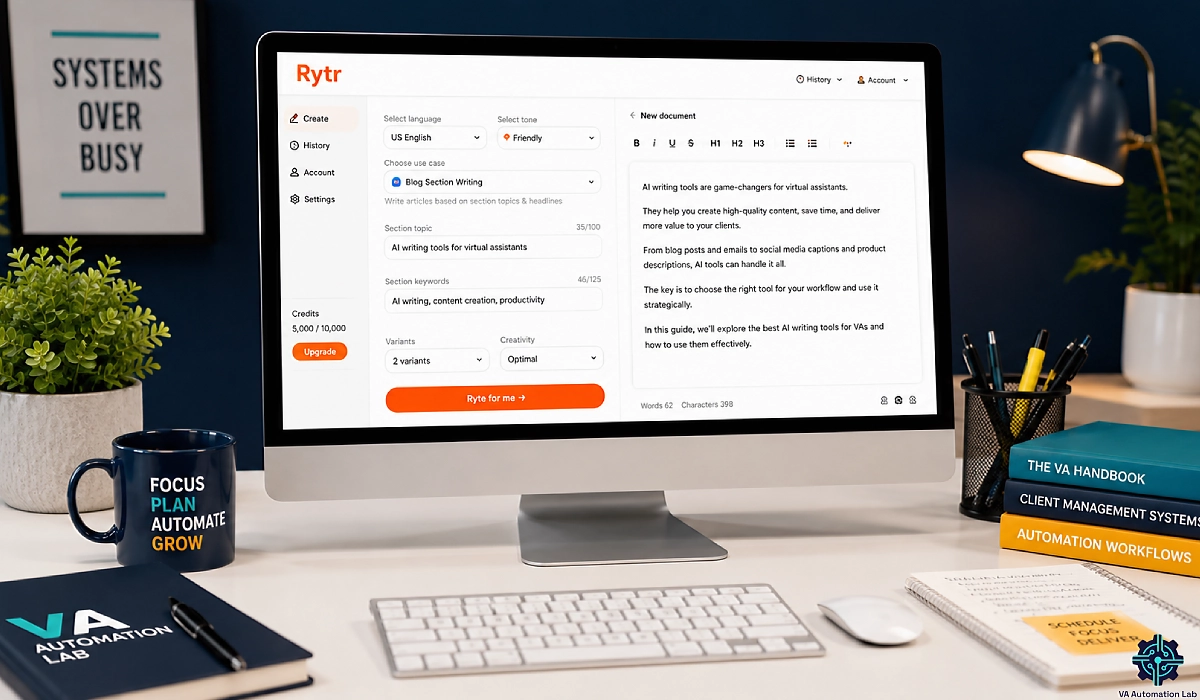
Disclosure: This article contains affiliate links. If you sign up through them, VA Automation Lab earns a commission at no extra cost to you. Recommendations are based on our evaluation of tool fit for VA workflows.
Rytr is the best budget AI writing tool for virtual assistants who need fast short-form copy — as long as you treat it as a first-draft engine and edit everything before it reaches a client.
If you write content for clients, you already know the math. There are only so many hours in a day, and too many of them disappear into blank first drafts. Rytr is one of the cheapest ways to get those hours back. It’s a template-driven AI writing assistant built for fast, short-form copy — emails, captions, product descriptions, ad copy, and outlines — starting at zero.
But cheap doesn’t automatically mean right for your business. This guide is written specifically for virtual assistants: what Rytr does well, where it costs you editing time, how to set it up, the client workflows that make it pay for itself, and a verdict on whether it belongs in your toolkit.
We’ll also cover the tools worth pairing with it, because Rytr is a drafting engine — not a complete content system. For the wider picture, start with our AI Tools for Virtual Assistants pillar and our AI Writing and Content Creation Guide for VAs. Let’s get into it.
Rytr at a Glance
What it is | Template-driven AI writing assistant for short-form content |
Best for | VAs producing high-volume emails, social captions, ad, and product copy |
Free plan | Yes — 10,000 characters per month, no credit card |
Paid from | $7.50/month (Unlimited plan, billed annually) |
Standout feature | Custom Tone Match for per-client brand voice |
Weak spot | Long-form articles and deep SEO content |
Languages | Single language on Free and Unlimited; multi-language on Premium |
Our rating | 4/5 for budget short-form — pair it with an SEO tool for ranking content |
Get the Free AI Toolkit for Virtual Assistants
Get our plug-and-play library of AI prompts, client-ready templates, and workflow checklists built for virtual assistants.
Free, straight to your inbox.
Table of Contents
1. What Is Rytr and How Does It Work for Virtual Assistants?
Rytr is an AI writing assistant that turns a few lines of context into finished short-form copy. Instead of a blank chat box, you pick a use case — like an email, a product description, or a blog outline — set a tone, add your details, and generate. It’s built for speed and simplicity, which is exactly why so many virtual assistants reach for it.
That template-first design is the thing to understand before anything else. Where a general tool like ChatGPT hands you a blank prompt and total freedom, Rytr hands you a structured shortcut. You’re not writing a clever prompt; you’re filling in a form.
How Rytr’s Template-Driven Workflow Works
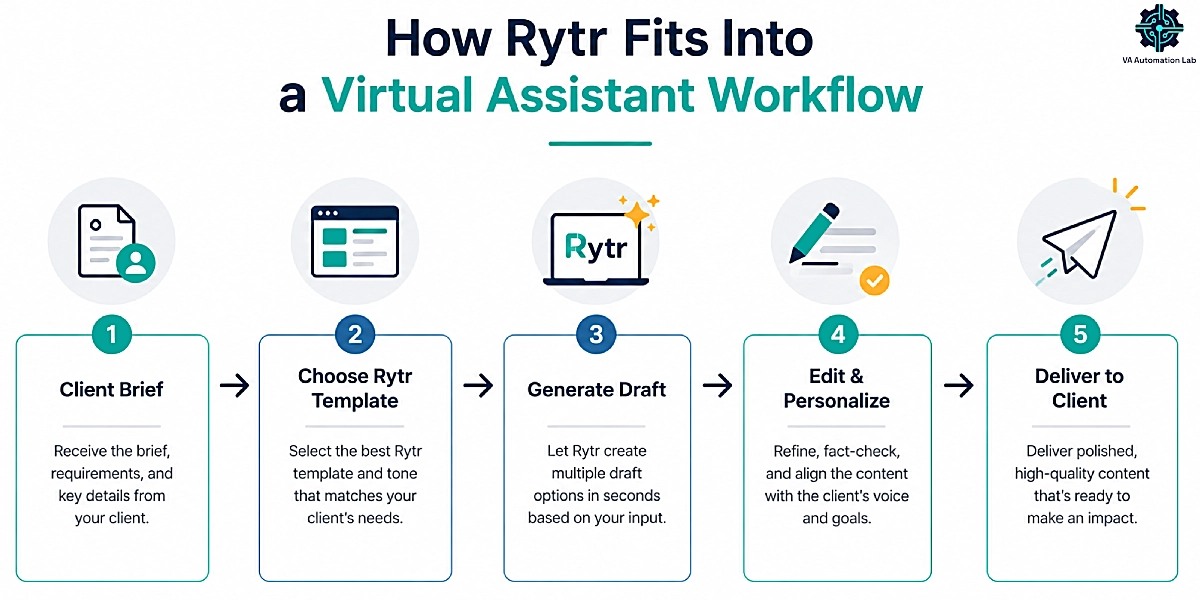
Every piece of content in Rytr follows the same short loop, and once it’s muscle memory you can produce copy in seconds. First, you choose a use case from the library — Rytr offers 40+ of them, covering most short-form formats a VA touches. Next, you add context: the topic, a few keywords, and any specifics the client cares about. Then you pick a tone from 20+ options, choose how many variants you want, and set a creativity level. Finally, you hit generate, and Rytr returns two or three drafts you can edit inside its built-in editor.
The variant system is useful for client work. Rather than one take-it-or-leave-it output, you get several angles to compare, so you can pull the strongest sentence from each and stitch together something better than any single draft. For a VA producing volume, that’s faster than staring at a cursor.
Where Rytr Fits in a Virtual Assistant’s Toolkit
Think of Rytr as an entry-tier drafting engine, not a content department. It shines on high-volume, low-complexity copy — the captions, subject lines, product blurbs, and routine emails that eat your week. It’s weaker the moment a task needs real research, current facts, or long output. Keep that boundary in mind and Rytr earns its place. Ignore it, and you’ll spend more time editing than you saved. We’ll draw that line clearly throughout this guide.
2. Rytr Features Built for Fast, Client-Ready Content
Feature lists are easy to pad. Here’s the shorter version — the Rytr features that change how a virtual assistant works, each tied to something you’ll hand a client.
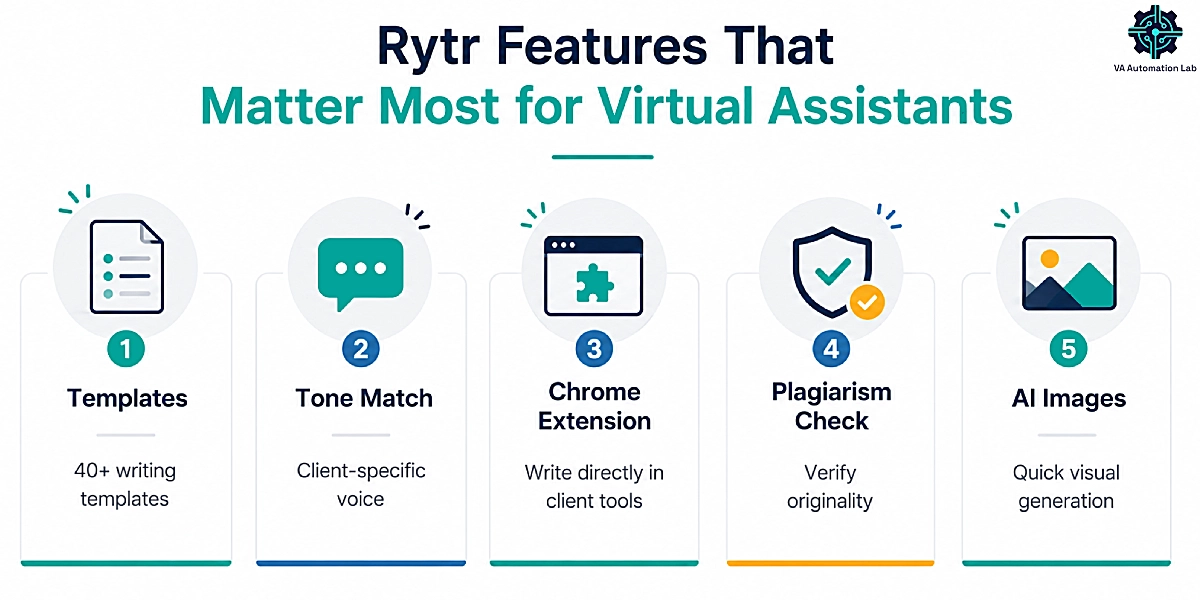
40+ Use-Case Templates and 20+ Tones
The template library is the backbone. Rytr covers the formats VAs use daily: blog ideas and outlines, blog sections, email copy, product descriptions, Facebook and Google ad copy, social posts, meta titles, and meta descriptions, among others. Each template is tuned for its format, so a product description reads like a product description without you engineering the prompt.
The 20+ tones matter more than they look. A cold outreach email and a playful Instagram caption need completely different voices, and switching tone is a single click. For a VA serving several clients with different brand personalities, that flexibility is a real time-saver — you’re not manually rewriting the same copy to sound formal for one client and casual for another.
Custom Tone Match: The Feature That Sells Rytr to VAs
This is the one that separates Rytr from generic AI writers for client work. Tone Match lets you feed Rytr samples of a client’s existing writing and have it mirror that voice in new content. Instead of “formal” or “enthusiastic,” you get this specific client’s voice.
The catch is that it’s plan-gated, and the tiers map neatly onto how many clients you serve. The Free plan has no Tone Match at all. The Unlimited plan includes one Tone Match — fine if you mostly write in a single house voice. The Premium plan unlocks multiple Tone Match profiles, which is what a VA juggling several brands needs. If per-client voice consistency is core to your service, that plan difference is the whole decision, and we break down the numbers in the pricing section below.
Chrome Extension for Writing Inside Client Docs
Rytr’s Chrome extension lets you generate and edit copy directly inside the tools you already work in — Google Docs, WordPress, Gmail, and most text fields on the web. That removes the copy-paste shuffle between tabs, which sounds minor until you’re doing it forty times a day across different client environments. For a VA, in-context writing is where much of the real time saving happens.
Plagiarism Checker, Keyword Tools, and AI Images
Rytr bundles a few extras. There’s a built-in plagiarism checker for verifying originality before content goes out — useful when your name is on the delivery. There’s a basic keyword and SEO helper, though it’s worth being straight about this: it’s light. It’ll suggest keywords, but it won’t research the SERP or tell you what a page needs to rank. There’s also AI image generation for quick visuals. Treat these as convenient add-ons, not reasons to buy — the core value is the writing engine, and the SEO gap is where a paired tool comes in later.
3. Rytr Setup: Getting Started as a Virtual Assistant
You can be generating client copy in under thirty minutes. Here’s the setup path, start to finish.
Step 1 — Create your account and start free
Head to Rytr, sign up with an email or Google account, and start on the Free plan. There’s no credit card required, and you get 10,000 characters a month to test whether the output fits your style before you spend anything. Don’t rush the plan decision — evaluate first, upgrade later.
Step 2 — Set your language and default tone
Inside your dashboard, set your working language and browse the tone options so you know what’s available. On Free and Unlimited you’re working in a single language; if you write for clients in more than one, note that multi-language support lives on Premium.
Step 3 — Build a Tone Match profile (paid plans)
If you’re on Unlimited or Premium, this is the step that pays off most. Go to the voice settings, paste in a few hundred words of a client’s existing content, and save it as a Tone Match profile. Now every draft for that client can be generated in their voice. Repeat per client if you’re on Premium.
Step 4 — Create a custom use case for a recurring deliverable
Paid plans let you build your own templates. If you produce the same format over and over — say, a specific client’s product-description structure — set it up once as a custom use case and stop rebuilding it each time.
Step 5 — Install the Chrome extension and run a live test
Add the extension, open a real client doc in Google Docs or WordPress, and generate a short piece in context. That single test confirms your whole setup works where you write.
That’s it — account, voice, template, extension. Everything after this is just reps.
Start Writing Client Copy Today — for Free
Rytr’s free plan gives you 10,000 characters a month, all 40+ templates, and the Chrome extension — with no credit card.
It’s the fastest way to see whether AI drafting fits your workflow before you pay a cent.
4. Rytr Use Cases for Virtual Assistants
Features only matter when they map to billable work. Here are the client workflows where Rytr consistently pulls its weight, with a quick example of each.
Client Emails and Inbox Replies
Routine email is the perfect Rytr job: high volume, predictable structure, low stakes per message. Use it to draft outreach, follow-ups, and templated replies, then personalize the details. For example, feed it “follow-up email, client hasn’t responded in a week, friendly but direct” and you’ll get a usable draft in seconds. Pair this with a proper inbox system — our guide to AI Email Management for Virtual Assistants covers the full workflow — and email stops eating your mornings.
Social Media Captions and Ad Copy
This is short-form heaven for Rytr. Generate a week of captions per client tone, spin up three ad variations to test, and batch the whole thing in one sitting. Rytr’s variant system is a natural fit here — you want options for social, and it gives you several per generation. Rytr writes the captions; a scheduler posts them, which we’ll get to in the stack section. For the full publishing pipeline, see our Social Media Automation Guide for VAs.
Product Descriptions and E-commerce Copy
If you support e-commerce clients, product descriptions are one of Rytr’s highest-value uses. The dedicated product template lets you batch-generate descriptions by dropping in the product name, features, and benefits. For a client with dozens of SKUs, that turns a full day of writing into an afternoon of generating and editing.
Blog Outlines, Intros, and Meta Descriptions
Rytr is strong at the scaffolding of blog content — outlines, section starters, intros, and meta titles and descriptions. It’s useful for beating the blank page and getting structure down fast. Here’s the boundary, though: it’s built for these pieces, not the full article. Use it to outline and draft sections, then expect real editing to make anything publish-ready. That expectation gap is where many VAs get burned, and it’s why long-form needs the setup we cover in the stack section.
5. AI Writing Workflows That Speed Up Content Delivery
Anyone can generate a paragraph. The VAs who get real leverage from Rytr build repeatable systems around it. Here are the two that matter most.
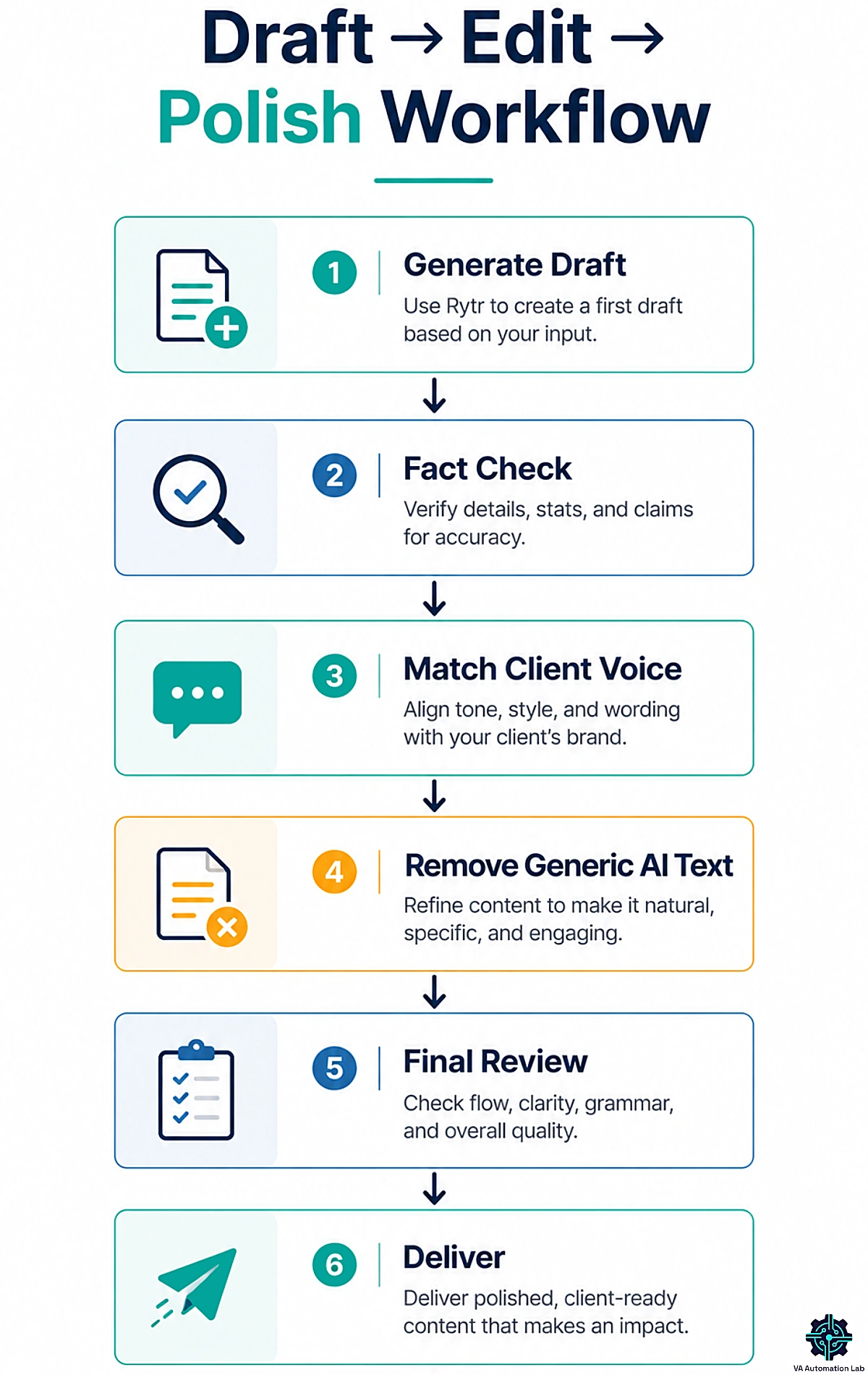
The Draft → Edit → Polish Workflow
Rytr is a first-draft engine, and treating it like a finished-copy machine is the fastest way to embarrass yourself in front of a client. Build a simple quality pass instead and run every output through it:
- Generate two or three variants and pick the strongest bones.
- Fact-check every specific claim, name, number, and date. Rytr can’t verify facts, so assume nothing is confirmed until you’ve checked it.
- Voice-match the copy to the client — tighten phrasing, swap generic lines, add the specifics only a human knows.
- Cut the filler. AI drafts run wordy; delete anything that doesn’t earn its place.
- Run the plagiarism check before it ships.
That five-step pass takes minutes and is the difference between “AI slop” and copy a client is happy to pay for.
Repurpose One Draft Across Formats and Tones
This is the efficiency multiplier. Write one solid source piece, then use Rytr’s editing tools — Expand, Shorten, Rephrase — plus tone switching to spin it into everything else. A single blog section becomes three social captions, a short email, and ad copy, each in the right tone, without starting from scratch each time. For a VA billing by outcome rather than hours, repurposing is where Rytr boosts your margin.
6. Rytr Pricing: Plans and Value for a VA Business
Rytr’s pricing is refreshingly simple: three tiers, no per-task billing, no confusing credit system. Here’s the current structure, verified against official pricing and shown in the annual-billing convention.
Plan | Price (billed annually) | What you get |
Free | $0/month | 10,000 characters/month · no Tone Match · no plagiarism check · single language |
Unlimited | $7.50/month | Unlimited AI content generation · 1 Tone Match · 50 plagiarism checks/month |
Premium | $24.16/month | Unlimited AI content generation · multiple Tone Match · 100 plagiarism checks/month |
Free Plan: Real, but a Trial Tier
The Free plan is a real no-credit-card evaluation, not a bait tier. Ten thousand characters is roughly 1,500–2,000 words — enough for a few captions or a short draft before it resets. Use it to confirm the output fits your style. What it won’t do is carry daily client work, and it has no Tone Match, so brand-voice consistency isn’t on the table yet.
Unlimited vs Premium: Which One a VA Needs
For most solo VAs writing in one language, Unlimited at $7.50/month is the practical starting point — it removes the character cap and adds one Tone Match, which covers a single house voice. Premium at $24.16/month is the multi-client plan. The jump buys you multiple Tone Match profiles and multi-language support, which is precisely what you need when you’re producing content for several brands that must each sound like themselves. If per-client voice is core to your service, Premium isn’t a luxury — it’s the reason the tool works for you.
Either way, at these prices Rytr is one of the cheapest unlimited AI writers available, undercutting premium tools by a wide margin. Whether that low price is a bargain or a false economy depends entirely on what you write — which is what the ROI math answers next.
7. Rytr ROI for Virtual Assistants: Time Saved vs Cost
The real question isn’t whether Rytr costs $7.50 a month. It’s whether those $7.50 buy back more than $7.50 worth of your time. For most VAs doing short-form work, they do — but it’s worth running the numbers against your own rate rather than taking our word for it.
How to Calculate Your Rytr ROI
Start with three figures: your effective hourly rate, the hours you spend each week on repetitive short-form writing, and the share of that drafting time Rytr can realistically absorb. Remember what Rytr does and doesn’t do — it won’t deliver finished copy, but it turns a blank page into an editable draft in seconds. And the blank page is where most of the time goes.
Here’s an illustrative example (plug in your own numbers). Say you bill $30/hour and spend five hours a week drafting captions, product descriptions, and routine emails. If Rytr shaves even a third off the drafting portion — a conservative estimate for templated short-form copy — that’s roughly 1.5 to 2 hours back each week. At $30/hour, that’s $45–$60 of recoverable time weekly, against a subscription costing under $2 a week on the annual Unlimited plan. Even after you subtract the time spent editing outputs, the margin is wide, and it’s recurring.
Where the ROI Breaks Down
There’s exactly one place the math goes negative: long-form. Push Rytr into full articles and editing time climbs while time saved shrinks — sometimes past the break-even point. That’s not a knock on the tool; it’s a knock on using it for the wrong job. Rytr pays off on high-volume, low-complexity copy. Serious long-form and ranking content need a different setup, which is what the stack section covers next.
Put $7.50 to Work Against your Hourly Rate
If you spend even a few hours a week on short-form copy, Rytr‘s Unlimited plan pays for itself fast.
Start free, run it against one real client task, and see the time saved before you upgrade.
8. The AI Content Stack to Pair With Rytr
Rytr is a drafting engine, not a content department. The VAs who get the most out of it treat it as one layer in a small content production stack — each tool covering a stage Rytr doesn’t: SEO research, image optimization, distribution, and heavier drafting. Here’s the stack we recommend, mapped to the workflow, with every price taken from current verified pricing.
Stage | Tool | What it does for you | Starts at |
Draft short-form | Rytr | Fast first drafts of emails, captions, ad, and product copy | Free |
SEO & long-form | Frase | SERP-based briefs that get drafts ranking | $39/mo |
Image alt text | AltText.ai | Bulk SEO + ADA alt text for every post image | $5/mo |
Send email & newsletters | Moosend | Delivers the email copy you draft, with automation | $7/mo (500 contacts) |
Schedule social | SocialBee | Publishes captions across multiple client brands | $24/mo |
Research & heavier drafting | ChatGPT / Claude | Reasoning and long output when Rytr falls short | Free |
For SEO and Long-Form: Frase
Rytr’s biggest weakness sits right where client blog work lives: ranking content. It can drop in keywords, but it can’t research the SERP, map the entities a topic needs, or tell you what it takes to compete for a search term. Frase does exactly that. It builds SEO content briefs from live search results, scores your draft against the pages already ranking, and covers the research layer Rytr skips entirely.
The workflow is clean: outline and draft in Rytr, then optimize in Frase before you publish. Frase starts at $39/month (billed annually) for solo VAs on the Starter plan, with Professional at $103/month for multi-client work and Scale at $239/month for agency volume. If any part of your service is SEO or long-form content, this is the single most valuable tool to pair with Rytr.
Full guide: Frase.io for Virtual Assistants: Complete Guide, Features, Pricing & Review
For Image SEO: AltText.ai
If you add images to client posts — and most content VAs do — every image needs descriptive alt text for SEO and accessibility. Rytr can generate images, but not optimized alt text. AltText.ai writes it automatically and in bulk, with WordPress, Shopify, and WooCommerce integrations, starting at just $5/month. It’s a small line item that improves on-page SEO and ADA compliance across every client site you touch.
For Email and Newsletters: Moosend
Rytr is good at drafting email and newsletter copy, but it can’t send it. If any of your clients run email marketing, pair Rytr with a sending platform. Moosend is the budget-friendly fit: unlimited email campaigns, automation, landing pages, and signup forms from $7/month for 500 contacts, which keeps it in the same low-cost spirit as Rytr. Draft the sequence in Rytr, then build and send it in Moosend.
For Social Scheduling: SocialBee
Rytr writes the captions; something has to publish them. If you manage social for several client brands, pair it with a scheduler built for exactly that — SocialBee organizes posts by category and handles multiple workspaces, which is what juggling brands demands. We walk through the full publishing pipeline in our Social Media Automation Guide for VAs.
For Research and Heavier Drafting: ChatGPT and Claude
When a task needs real reasoning, current information, or long output, a general assistant beats Rytr. Use ChatGPT for versatile, all-purpose work and Claude for long, nuanced writing that needs less editing. Rytr handles the fast short-form layer; the stack handles the rest.
9. Rytr Review: Strengths, Limitations & the Trust Question
Time for the straight verdict. Here’s where Rytr earns its keep, where it falls down, and one trust question every VA should understand before using it for client work.
Where Rytr Saves VAs Time
Rytr’s strengths are real and specific. It’s fast — seconds from prompt to draft on short-form. It’s beginner-friendly, with no prompt engineering required, so you’re productive in an hour. It’s cheap enough that the ROI is easy on short-form volume. And the template-and-tone structure is well suited to the exact copy VAs produce most: emails, social, ads, and product descriptions. For that job, it’s one of the best-value tools on the market.
Where Rytr Falls Short
The limitations are just as specific, and they all point the same direction. Push Rytr past a few paragraphs and output turns repetitive and generic — long-form coherence is not its strength. Its SEO tooling is shallow; it can’t do the SERP research that ranking content requires. And like every AI writer, it can’t verify facts, so accuracy is on you. None of this makes Rytr bad. It makes it specific. Ask it to carry your entire content operation and you’ll outgrow it fast; use it as a short-form drafting layer and it delivers.
The Trust Question: Accuracy, AI Detection, and the FTC Case
Two things every VA should know before putting Rytr near client deliverables.
First, the practical stuff: Rytr’s output isn’t guaranteed to pass AI-detection tools, and it produces generic phrasing unless you edit. The fix is the quality pass from the workflow section — verify facts, add the client’s voice, and cut filler. Do that and originality takes care of itself.
Second, the trust history, stated plainly. In 2024, the U.S. Federal Trade Commission brought a case against Rytr over one specific feature — its AI review and testimonial generator. The FTC alleged the tool could produce detailed reviews containing specifics unrelated to the user’s input, reviews that would likely be false when published, and that some subscribers used it to generate large volumes of them. The resulting order barred Rytr from marketing or selling any service dedicated to generating consumer reviews or testimonials. Notably, on December 22, 2025, the FTC issued an order to reopen and set aside that 2024 order.
The takeaway for a VA is simple and it applies no matter what any tool allows: never use AI to fabricate reviews or testimonials for a client. That’s a legal and ethical line, not a gray area. And it reinforces the discipline this whole guide is built on — verify what AI writes, and edit every draft before it ships. Used that way, Rytr is a legitimate, widely used writing assistant with millions of users.
10. Rytr vs Other AI Writing Tools
Most people searching “Rytr” are really asking “Rytr or something else?” Here’s the comparison, and it comes down to matching the tool to the job.
Rytr | ChatGPT | Claude | Jasper | Copy.ai | Writesonic | |
Best for | Fast templated short-form | Flexible all-purpose work | Long, nuanced writing | Team brand voice at scale | Sales & GTM copy | SEO & AI-search articles |
Workflow | Template → fill → generate | Open-ended prompting | Open-ended prompting | Templates + Brand Voice | Templates + workflows | Article writer + SEO |
Long-form | Weak past a few paragraphs | Strong | Very strong | Strong | Moderate | Strong (SEO-led) |
SEO built in | Basic | No | No | Yes (Surfer) | Limited | Yes (SEO + GEO) |
Difficulty | Very easy | Easy | Easy | Moderate | Easy | Moderate |
Price position | Lowest | Free + paid | Free + paid | Premium | Mid | Premium |
VA verdict | Budget short-form workhorse | Best all-rounder | Best for long-form quality | For funded agencies | Sales & marketing copy | SEO content at scale |
Rytr vs ChatGPT
These aren’t competitors so much as different tools. Rytr is faster and more structured for standardized short-form copy — you’re filling a form, not crafting a prompt. ChatGPT is more flexible and far stronger on long-form, research, and anything that needs reasoning or current information. Many VAs run both: Rytr for high-volume captions and product copy, ChatGPT for the thinking work. Our ChatGPT for Virtual Assistants guide covers where it wins.
Rytr vs Jasper
Same story, different price bracket. Jasper is a premium platform built for marketing teams producing long-form content at volume, with brand-voice training across multiple writers and built-in SEO. It’s more capable on long-form — and it costs several times more. For a solo VA doing short-form client work, that power is overkill and the price is hard to justify. Rytr wins on price and simplicity; Jasper wins on long-form scale. Pick based on the work, not the feature list.
Rytr vs Claude
Claude, from Anthropic, sits at the opposite end of the spectrum from Rytr. Where Rytr is built for fast, templated short-form, Claude excels at long, nuanced writing — it follows instructions closely and produces drafts that need less editing than most template tools. It has no built-in templates or SEO features, so you drive it with prompts rather than forms. For a VA, the split is simple: reach for Rytr to batch captions and product copy at speed, and reach for Claude when a client needs a thoughtful long-form piece written carefully. Plenty of VAs keep both. Our Claude AI for Virtual Assistants guide covers where it shines.
Rytr vs Copy.ai and Writesonic
Two more names you’ll meet in this space, each with a clear lane. Copy.ai has leaned into sales and go-to-market copy — ad variations, email sequences, and LinkedIn posts — with workflow automation that chains steps together; it’s a fit if your clients are sales-driven, though it costs several times more than Rytr.
Writesonic has pivoted toward SEO and AI-search visibility, with a built-in article writer and real-time optimization; it’s stronger than Rytr on long-form and ranking, at a premium price. The takeaway holds: if budget short-form is the job, Rytr wins on value; if SEO articles are the job, pairing Rytr with Frase (from the stack above) gets you there for less than a full Writesonic plan.
For the broader AI writing tools comparison, read Best AI Writing Tools for Virtual Assistants.
11. Is Rytr Worth It for Virtual Assistants in 2026?
Here’s the decision, boiled down.
Rytr is worth it if you’re a budget-conscious VA producing high-volume short-form copy — captions, ad variations, product descriptions, routine emails — especially for e-commerce or social clients. At $7.50 a month for unlimited short-form drafting, with a free plan to test it first, the value is hard to argue with. Add Premium if you’re managing several client brands and need per-client voice.
Choose something else if your work is research-heavy, long-form, or ranking-focused. In that case, a general assistant like ChatGPT or Claude will serve you better for drafting, and a dedicated SEO tool like Frase does the work Rytr can’t. There’s no shame in outgrowing a $7.50 tool — that’s what it’s priced for.
The smart move for almost everyone is the same: test it free before you decide. Sign up, run one real client task through the full draft-edit-polish workflow, and judge it on the evidence rather than the marketing. You’ll know within a week whether it belongs in your stack.
Rytr isn’t the most powerful AI writer, and it isn’t trying to be. It’s the fastest, cheapest way for a virtual assistant to get short-form client copy out of their head and onto the page — captions, emails, ad copy, and product descriptions at real volume. Treat it as a first-draft engine, run every output through a proper edit, pair it with an SEO tool when client work needs to rank, and it becomes a profitable line in your toolkit. Push it past its limits and it’ll cost you editing hours instead. The boundary is the whole game — and now you know exactly where it sits. Start on the free plan, test it against real work, and build from there.
See if Rytr Fits your Workflow — Risk-free
The free plan costs nothing and requires no card.
Put one real client task through it this week, and let the time saved make the decision for you.
Frequently Asked Questions About Rytr for Virtual Assistants
Is Rytr free?
Yes. Rytr has a real free plan with 10,000 characters per month, access to all 40+ use-case templates, and the Chrome extension — with no credit card required. It’s enough to test the tool properly, though not to run daily client work.
How much does Rytr cost?
Three plans, shown here in annual billing: Free at $0, Unlimited at $7.50/month (unlimited generation, one Tone Match, 50 plagiarism checks), and Premium at $24.16/month (multiple Tone Match, 100 plagiarism checks, multi-language). Monthly billing is available at a higher rate.
Can Rytr write full blog posts?
It can draft outlines, intros, and individual sections well, but it’s not built to produce publish-ready long-form articles on its own. Output gets repetitive past a few paragraphs, so full posts need substantial human editing — or a stronger long-form tool.
Is Rytr good for SEO?
For basic on-page copy — meta titles, descriptions, keyword-aware sentences — it’s fine. For content built to rank, it’s not enough: Rytr can’t research the SERP or map entities. Pair it with a dedicated SEO tool like Frase for ranking content.
Is Rytr better than ChatGPT?
They’re different tools. Rytr is faster for standardized short-form copy thanks to its templates; ChatGPT is more flexible and much stronger on long-form and research. Many VAs use both, each for the job it does best.
How is Rytr different from Jasper?
Rytr is a budget short-form writer; Jasper is a premium platform for teams producing long-form content at scale with brand-voice training. Jasper is more capable on long-form and costs several times more. For solo short-form work, Rytr is the better-value pick.
Is Rytr legit and safe to use?
Yes — it’s an established tool with millions of users. For context: the FTC brought a 2024 case over Rytr’s AI review-generation feature specifically, and later, on December 22, 2025, issued an order to reopen and set aside that order. The practical lesson for any VA is to never use AI to fabricate reviews or testimonials for clients.
Does Rytr content pass AI detection?
Not reliably on its own — raw AI output often triggers detectors and reads generically. Editing the draft, adding your client’s specific voice, and cutting filler both improves quality and reduces detectability.
Is Rytr’s content original and plagiarism-free?
Rytr generates original text rather than copying from a source, and its paid plans include a built-in plagiarism checker so you can confirm originality before delivery. As with any AI writer, run the check and edit the draft — that’s the safeguard for client-ready, publishable content.
Is Rytr good for beginners?
Very. It’s one of the most beginner-friendly AI writers available — no prompt engineering needed. You pick a template, add context, choose a tone, and generate, which makes it easy to be productive within your first hour.
Glossary: Key Terms for Rytr
AI writing assistant — Software that generates written content from a short prompt or set of inputs. Rytr is a template-driven example built for short-form copy.
Use case (template) — A pre-built format in Rytr for a specific type of content, such as a product description or blog outline, tuned so you don’t have to engineer a prompt.
Tone Match — A Rytr feature that learns a specific voice from writing samples and mirrors it in new content. Ideal for keeping each client’s brand voice consistent.
Character limit — The monthly cap on how much text you can generate. Rytr’s free plan allows 10,000 characters; paid plans remove the cap.
Plagiarism checker — A built-in tool that scans generated content against existing web text to confirm originality before you publish.
Short-form vs long-form — Short-form is brief copy like captions, emails, and product descriptions (Rytr’s strength); long-form is extended content like full articles (Rytr’s weak spot).
SEO content brief — A research-based outline of what a page needs to rank for a keyword, including topics and entities to cover. Tools like Frase build these; Rytr does not.
About the Author
Alex Stratton has spent the better part of a decade working at the intersection of virtual assistance and operational systems, first as a VA supporting founders and small business owners, then as a workflow consultant helping remote teams reduce the manual overhead that accumulates when businesses grow faster than their processes. The tools and workflows here reflect decisions made repeatedly in real client contexts, where the wrong choice costs hours, not minutes. Learn more about VA Automation Lab → About.